Listeners:
Top listeners:
-
 play_arrow
Five FM (32 AAC)
-
play_arrow
Five FM (320 MP3)

Flow Studio is an ultra-compact control surface from Softube offering album-ready signal chains and “lightning-fast” control
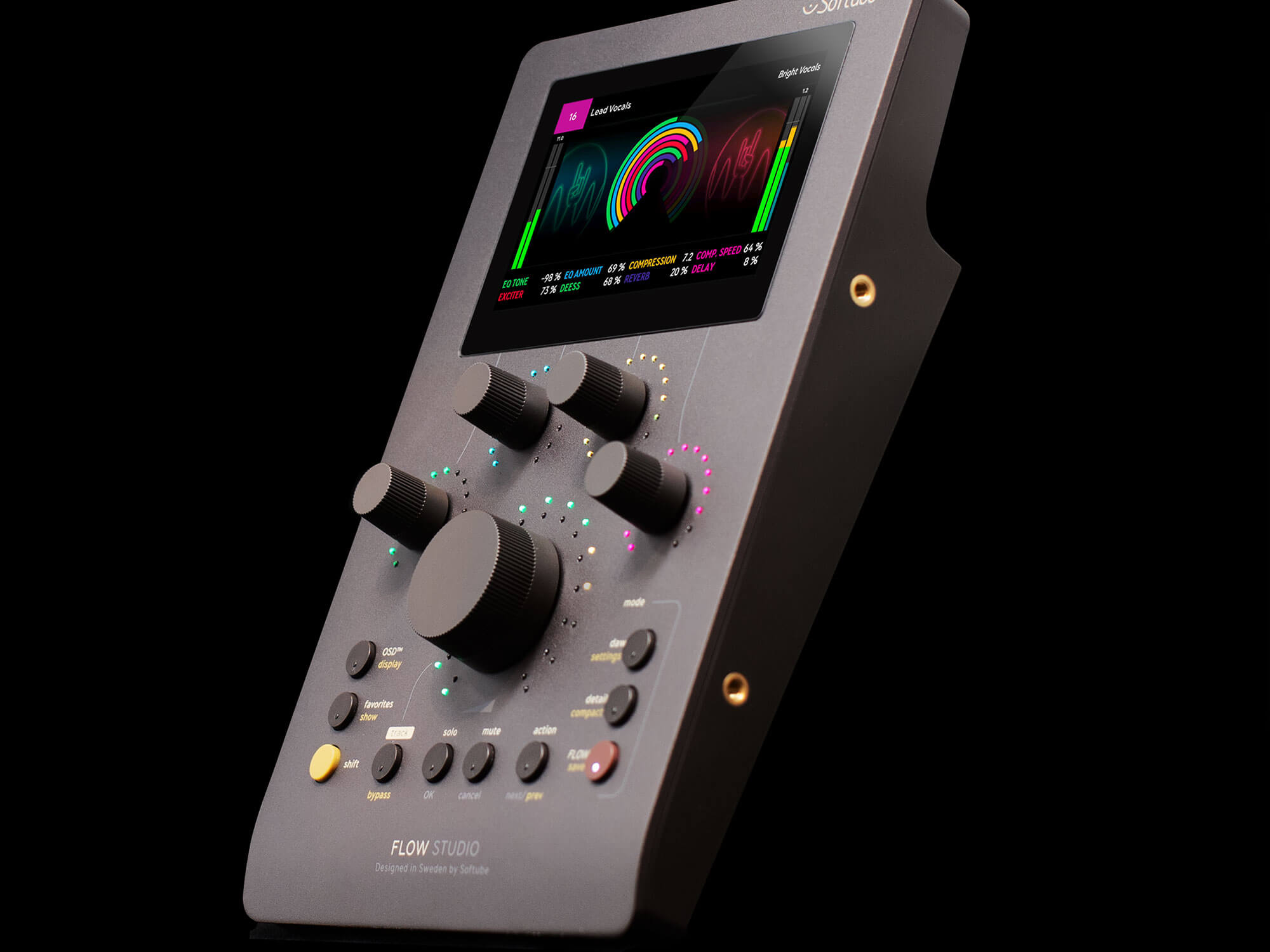
Swedish audio company Softube has introduced Flow Studio, a compact control surface designed to deliver “album-ready signal chains and quick, hands-on control” in a streamlined format.
Unlike many of Softube’s previous controllers, which mirror traditional mixing consoles with rows of knobs and faders, Flow Studio simplifies the experience down to just five multifunctional knobs. Each knob can handle multiple parameters at once, covering everything from vocal tuning and compression to delay, reverb, saturation, and even guitar amp settings.
At the center sits the standout feature: the Omni Knob. This main control provides access to all eight macro parameters, while also handling essential functions like input gain and output volume, making it the core of the device’s workflow.
Flow Studio ships with the Flow Studio Suite, featuring more than 100 pre-designed signal chains—referred to as “Flows”—tailored for vocals, guitars, synths, drums, and beyond. According to Softube, these have been crafted by leading sound designers and producers to offer polished, ready-to-use processing chains.
The suite also includes 25 Softube effects, such as EQs, compressors, reverbs, delays, and amp simulations. For users wanting more, an optional Flow subscription expands the library with up to 145 additional Flows and 65 extra plugins.
To keep the workflow efficient across different stages of production, Flow Studio includes three dedicated modes. DAW Mode focuses on core mix controls like volume, pan, solo/mute, and sends. Flow Mode is built for browsing and shaping sounds within the Flow Studio Suite, while Detail Mode lets users dive deeper into individual plugins for more precise adjustments.

Now on air
Upcoming shows












Post comments (0)